

How to Build Custom Reports from Mindbody Data
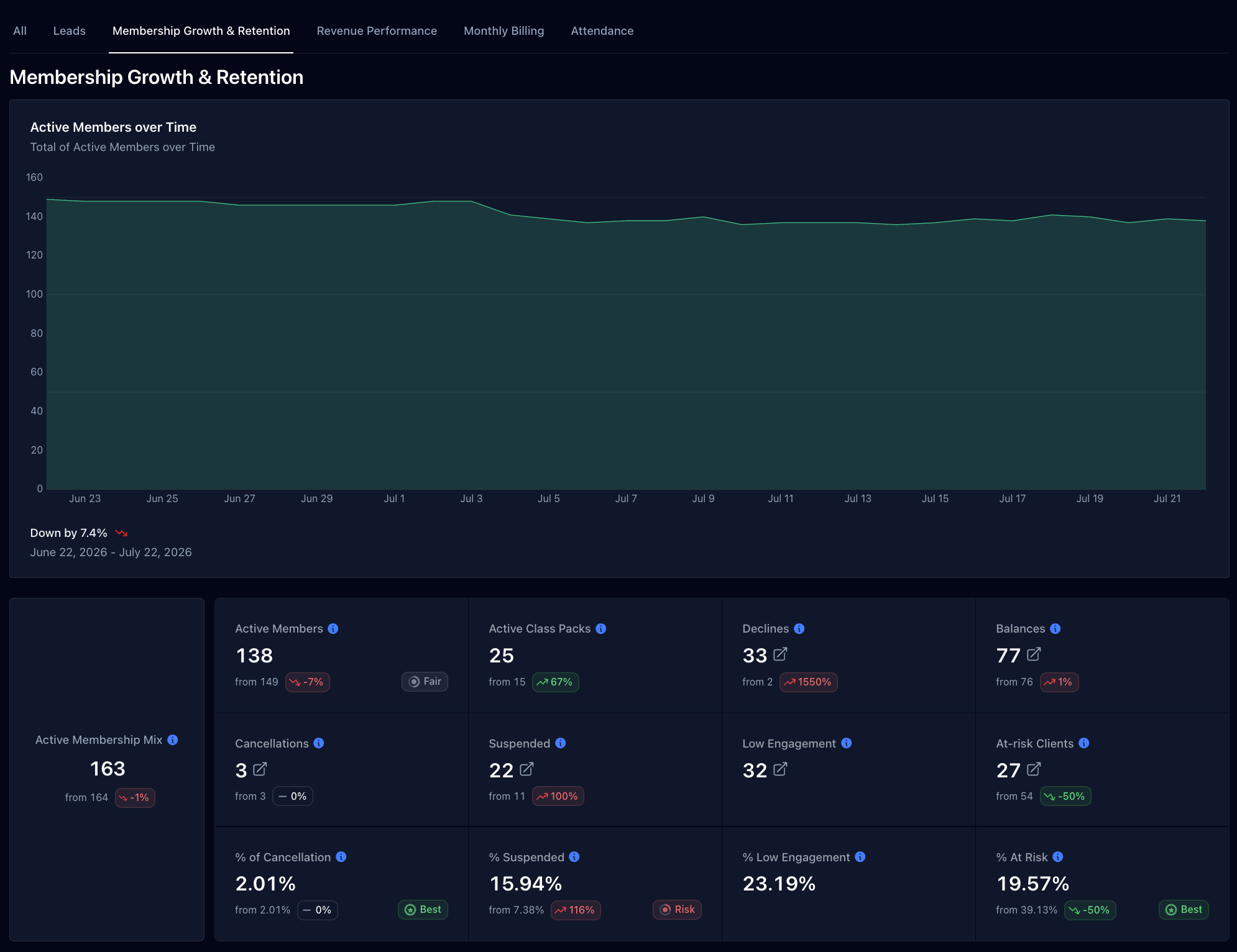
If you're running a boutique fitness studio on Mindbody, you've probably run into the same wall: the platform is great for booking and payments, but its native reporting is limited. You can see basic revenue and attendance numbers, but questions like "which class is actually most profitable" or "which leads are converting" require manual work, exporting data, building spreadsheets, or hiring someone to do it for you.
Here are the main ways studio owners currently solve this, and where each one falls short.
Option 1: Mindbody's Built-In Reports
Mindbody's native reporting covers the basics: revenue totals, attendance counts, and membership counts. It does not offer:
- Profitability by class, time slot, or membership type
- Lead-to-member conversion tracking across the full funnel
- Retention or engagement scoring for individual members
- Integration with accounting data (Xero, QuickBooks) to show real profit, not just revenue
For studios that just need a top-line revenue number, this may be enough. For studios trying to make decisions about scheduling, pricing, or retention, it usually isn't.
Option 2: Manual Exports and Spreadsheets
Many studio owners export data from Mindbody into Excel or Google Sheets and build their own reports manually. This works, but has real limitations:
- Time-consuming to rebuild every month
- Prone to errors and inconsistency between exports
- No automatic sync, the data is only as current as the last export
- Requires someone with spreadsheet skills to maintain it
Option 3: Hiring a Consultant or Bookkeeper
Some studios pay a consultant or bookkeeper to compile this reporting manually. This solves the time problem but introduces cost, and the reporting is still typically a lagging monthly snapshot rather than something owners can check daily.
Option 4: Connected Reporting and Analytics Platforms
A newer category of tools connects directly to Mindbody's API (and other booking platforms like Xplor Mariana Tek) to pull data automatically, without manual exports. These platforms typically offer:
- Real-time dashboards for leads, retention, revenue, and attendance
- Automatic syncing, no manual export step
- The ability to also connect accounting software (like Xero or QuickBooks) to layer in cost data alongside booking data
Pipeline is one platform in this category, built specifically for boutique fitness studios rather than as a general-purpose CRM. It connects directly to Mindbody and Xplor Mariana Tek, and separately to QuickBooks and Xero, to bring booking and financial data into one dashboard.
What to Look for in a Mindbody Reporting Tool
If you're evaluating options, the key questions worth asking are:
- Does it sync automatically, or does it require manual data exports?
- Does it go beyond revenue into retention, lead conversion, and (where relevant) profitability?
- Is it built specifically for fitness studios, or is it a general CRM adapted to fit?
- Does it integrate with your accounting software, so cost data and booking data can be viewed together?


